

You do not need to memorize error codes. You need to read the message in three passes and know what the usual phrases mean. This page uses one file with eight of the most common mistakes, so you can see the real wording next to the cause.
The file
type Order = { id: number; total: number; note?: string };

function add(a: number, b: number): number {
  return a + b;
}

const order: Order = { id: 1, total: "100" };
add(1);
add("1", 2);
console.log(order.totl);
console.log(missing);
const size: number = order.note.length;
const draft: Order = { id: 2 };
function echo(x) {
  return x;
}
common.ts(7,31): error TS2322: Type 'string' is not assignable to type 'number'.
common.ts(8,1): error TS2554: Expected 2 arguments, but got 1.
common.ts(9,5): error TS2345: Argument of type 'string' is not assignable to parameter of type 'number'.
common.ts(10,19): error TS2551: Property 'totl' does not exist on type 'Order'. Did you mean 'total'?
common.ts(11,13): error TS2304: Cannot find name 'missing'.
common.ts(12,22): error TS18048: 'order.note' is possibly 'undefined'.
common.ts(13,7): error TS2741: Property 'total' is missing in type '{ id: number; }' but required in type 'Order'.
common.ts(14,15): error TS7006: Parameter 'x' implicitly has an 'any' type.
This is what tsc prints when its output goes to a file or a build log. In a terminal it usually adds the source line and a squiggle under the problem.
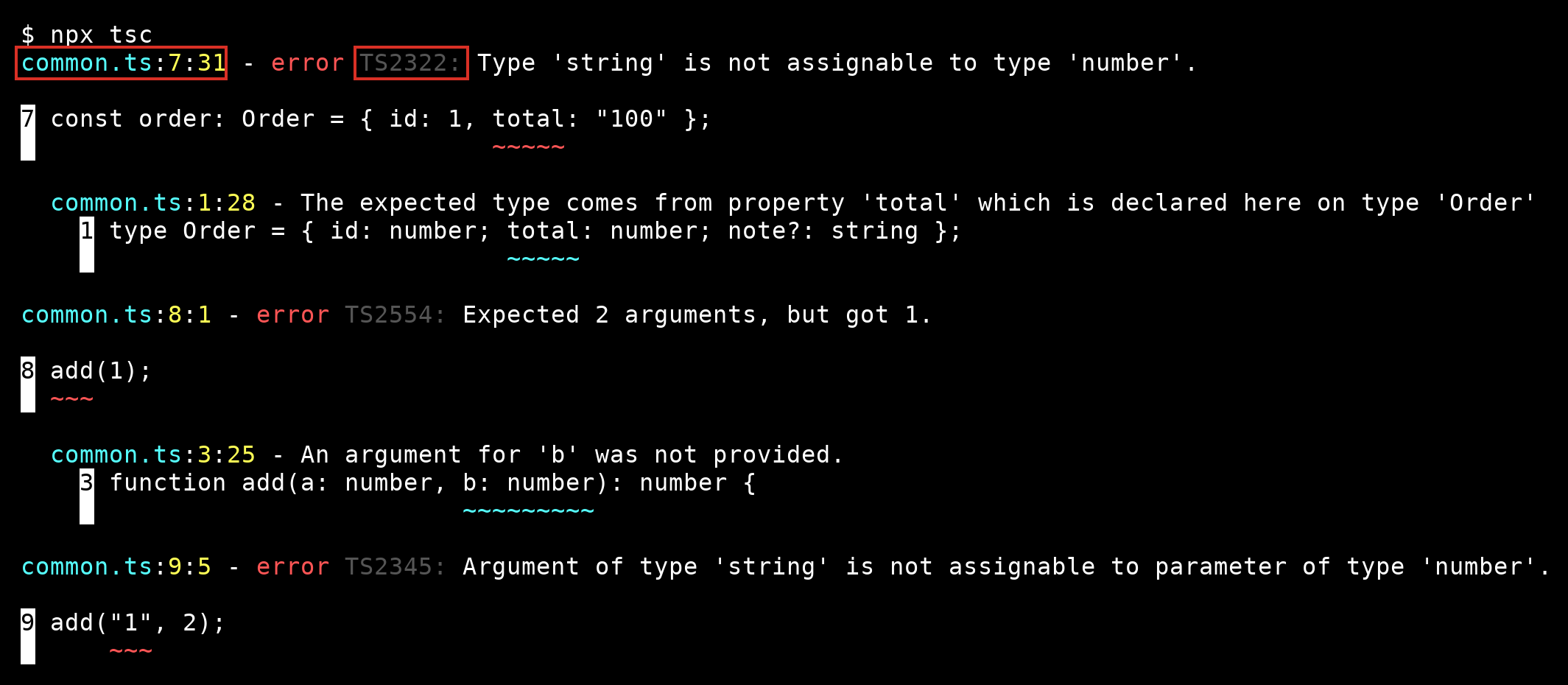
Three passes
- What. Read only the message, the part after
error TSxxxx:. Do not look at the code yet. - Where. Take the file, line and column from the start of the line, and open that spot.
- Which way. In "Type A is not assignable to type B", A is what you gave and B is what was wanted. The same goes for "Argument of type A is not assignable to parameter of type B".
What the usual phrases mean
| Message starts with | It means | Check first |
|---|---|---|
| Type 'X' is not assignable to type 'Y' | You put the wrong kind of value in | The value, then the declared type |
| Argument of type 'X' is not assignable to parameter of type 'Y' | A call passes the wrong kind of value | The call, then the function's parameters |
| Expected N arguments, but got M | The call has too few or too many arguments | The function's parameter list |
| Property 'x' does not exist on type 'T' | A misspelled property, or a type that lacks it | The spelling, and the "Did you mean" hint |
| Cannot find name 'x' | Nothing with that name is in scope | A typo, a missing import, or missing type packages |
| 'x' is possibly 'undefined' | A value may be missing and you used it anyway | Add a check, ?? or ?. |
| Property 'x' is missing in type 'A' but required in type 'B' | An object lacks something the type needs | The object literal |
| Parameter 'x' implicitly has an 'any' type | A parameter has no type | Write the type |
Match each of the eight lines in the output above to a row in the table. The Did you mean hint on totl is the compiler's own guess at your typo, and it is right most of the time.
Long messages
When a message has indented lines under it, each line goes one level deeper into the cause. Read the first line for where, and the last line for why.
When the message still makes no sense
- Fix only the first error and run
tscagain. Later ones are often fallout. - Copy the error code and a few words of the message into a search, not the whole line with your file names.
- Reduce the problem. Copy the failing lines into a new
test.tsfile. If the error stays, the problem is in those lines. If it disappears, the cause is somewhere else in your project. - Hover over the name in your editor. It shows the type the compiler believes the value has, which is often not the one you expected.
⚠ Warning: Do not silence an error you have not read. as any, @ts-ignore and turning off strict all hide the message, and none of them fixes the cause.
Related course: TypeScript for Beginners.
About
Read an error in three passes and match the eight most common phrases to their causes, using real tsc output. After this, a wall of errors is a list you can work through.
Reviews
Sign in to write a reviewComments (0)
Sign in to commentNo comments yet.