

When CSS appears to be ignored, inspect the element that is actually on screen. Read its resolved value, then trace that value back to a declaration. Rewriting the stylesheet before doing this can leave the original conflict in place.
This walkthrough provides a specific spacing and colour disagreement. Save the example as computed-styles.html. Its rules are deliberately small enough to follow without searching a framework.
Start with a known disagreement
<!doctype html>
<html lang="en">
<head>
  <meta charset="utf-8">
  <meta name="viewport" content="width=device-width, initial-scale=1">
  <title>Trace the winning CSS rule</title>
  <style>
    * { box-sizing: border-box; }
    body {
      margin: 0;
      padding: 16px;
      font: 1rem/1.6 system-ui, sans-serif;
      color: #080b0e;
      background: #ffffff;
    }
    main { max-width: 60rem; margin-inline: auto; }
    .panel {
      display: flow-root;
      padding: 16px;
      border: 1px solid #dce3ed;
    }
    .notice { margin: 24px 0 0; color: #626976; }
    .panel .notice { margin-top: 16px; color: #034bff; }
    .notice { margin-top: 24px; }
  </style>
</head>
<body>
  <main>
    <h1>Why is the notice blue and only 16px away?</h1>
    <div class="panel">
      <p class="notice">Inspect this notice.</p>
    </div>
  </main>

</body>
</html>
The notice should appear blue, with a 16px top margin. A later rule asks for 24px, but it does not win. The panel's padding is separate: there should be 16px padding plus 16px margin between the panel's inside top border and the text box.
Inspect the selected element
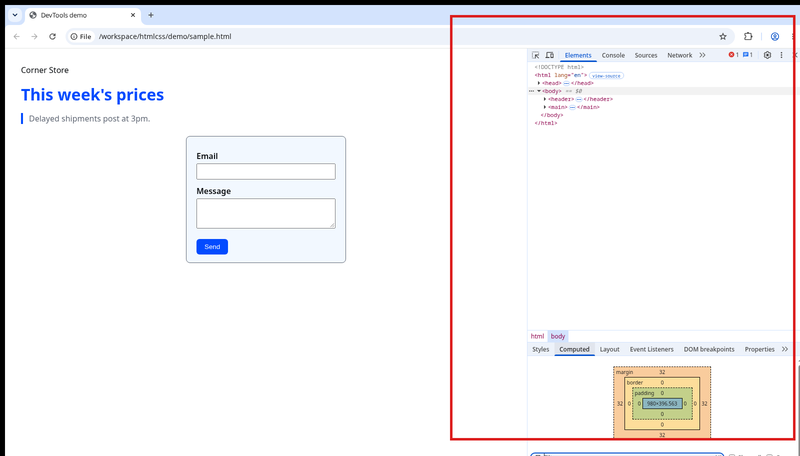
The screenshot shows the kind of DevTools panel to use; its selected element and values are separate from this walkthrough. In Chrome or Edge, right-click the notice and choose Inspect. Select the actual paragraph in Elements, not the enclosing panel.
Open Computed and filter for margin-top. You should find 16px. Check color too; DevTools may display the blue as an RGB value rather than the hex spelling in your stylesheet. Different notations can describe the same colour.
Find the declaration behind the value
- Switch to Styles and filter for
margin. - Find the matching
.panel .noticedeclaration. - Compare it with the later
.noticedeclaration, which should be crossed out for this property. - Untick the 16px declaration temporarily. The paragraph should move to a 24px top margin.
For these ordinary author rules in the same layer, the two-class selector is more specific than the one-class selector. Source order resolves an otherwise tied case; it does not make every later declaration stronger. A crossed-out declaration is different from an invalid value or a rule whose media query does not currently match.
Separate inheritance from a direct value
The paragraph inherits its font from the body. It does not inherit the body's ink colour because a matching rule sets its colour directly. Change the body colour in DevTools and compare: the paragraph remains blue until its own colour declarations are removed or changed.
The Computed panel generally reports resolved values, which may include layout-resolved values for some properties. It does not by itself explain every visual gap. Margins, padding, line height and borders can all contribute to what you see. Here the flow-root panel and padding keep the simple spacing experiment from being confused with margin collapse.
Put the chosen repair in the file
If the design requires 24px, update or remove the rule that supplies 16px in your source file. Reload and repeat the computed-value check. DevTools edits are temporary; a successful live adjustment is evidence for a repair, not proof that the saved stylesheet contains it.
If nothing changes after saving, confirm that you are editing the file loaded by the page. Check the stylesheet source link or the inline style block. Only investigate caching after checking that file and selector; a force refresh cannot make the wrong file affect the page.
Predict a new value
Restore the original example, then change the panel-specific top margin to 32px. Leave the later 24px rule in place for the comparison.
Expected result: Computed reports 32px and the gap grows by 16px from the original state. The less-specific 24px rule still loses. Once you have verified the behavior, remove redundant declarations from the real stylesheet instead of leaving them as future traps.
For a width calculation you can measure the same way, continue to the box-model experiment.
About
Trace a reproducible colour and spacing conflict from the rendered result to the winning rule, then verify the repair in the source file.
Reviews
Sign in to write a reviewComments (0)
Sign in to commentNo comments yet.