

Classes With public, private and protected
Type class properties, use the three access modifiers and the constructor shortcut, and see that private is erased at run time. After this, you know what the modifiers protect and what they do not.
Skip ahead: If you already use constructor parameter properties and know that private is erased at run time, skip to "private is a compile-time rule", then continue.
A class in TypeScript is a JavaScript class with three additions: types on the properties, access modifiers, and a few shortcuts in the constructor. The modifiers are public, private and protected. They decide who is allowed to touch a property or method. They are also the most misunderstood part of TypeScript, because they look like security and they are not. This lesson shows what they do, and exactly where they stop.
Properties need a type and a starting value
class Account {
  owner: string;
  balance: number;

  constructor(owner: string) {
    this.owner = owner;
  }
}
account_error.ts(3,3): error TS2564: Property 'balance' has no initializer and is not definitely assigned in the constructor.
In strict mode, every property must be set by the time the constructor finishes, or have an initial value. balance has neither. Without this check, account.balance.toFixed(2) would crash on a property nobody set.
class Account {
  owner: string;
  balance = 0;

  constructor(owner: string) {
    this.owner = owner;
  }

  deposit(amount: number): void {
    this.balance += amount;
  }
}

const account = new Account("Ana");
account.deposit(150);
console.log(account.owner, account.balance);
Ana 150
public, private and protected
publicis the default. Anyone can read and change it.privatemeans only code inside the class can use it.protectedmeans the class and its subclasses can use it, and nobody outside.
class Account {
  public owner: string;
  private balance = 0;
  protected history: number[] = [];

  constructor(owner: string) {
    this.owner = owner;
  }

  deposit(amount: number): void {
    this.balance += amount;
    this.history.push(amount);
  }

  getBalance(): number {
    return this.balance;
  }
}

class SavingsAccount extends Account {
  lastDeposit(): number | undefined {
    return this.history[this.history.length - 1];
  }

  peek(): number {
    return this.balance;
  }
}

const savings = new SavingsAccount("Ana");
savings.deposit(100);
console.log(savings.balance);
console.log(savings.history);
access.ts(26,17): error TS2341: Property 'balance' is private and only accessible within class 'Account'.
access.ts(32,21): error TS2341: Property 'balance' is private and only accessible within class 'Account'.
access.ts(33,21): error TS2445: Property 'history' is protected and only accessible within class 'Account' and its subclasses.
Read the three errors together. balance is private to Account, so neither the subclass nor the outside code can read it. history is protected, so the subclass can use it, which is why lastDeposit compiles, but the line outside the class cannot. The public method getBalance is the supported way to get at the number.
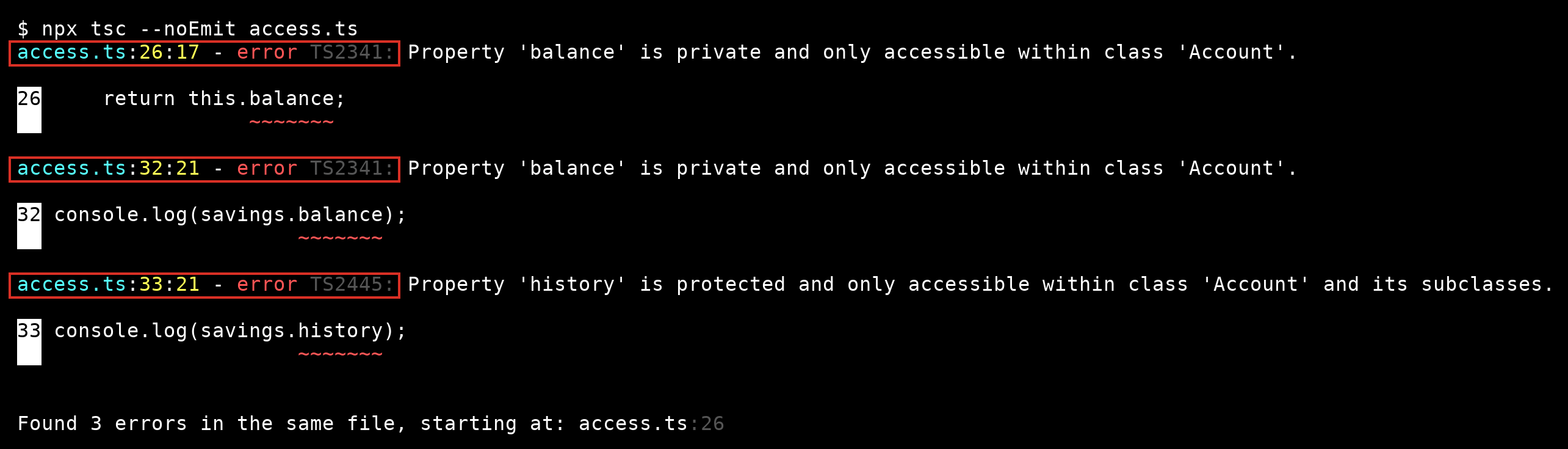
This is the same output in a real terminal. The red boxes mark the file position and the error code you read first. Two of them say private, and the last one says protected.
A shortcut for the constructor
Declaring a property, listing it as a parameter and assigning it is the same name written three times. Put a modifier on the parameter and TypeScript does all three.
class Account {
  private balance = 0;

  constructor(
    public readonly owner: string,
    private readonly limit: number,
  ) {}

  withdraw(amount: number): boolean {
    if (this.balance - amount < -this.limit) {
      return false;
    }
    this.balance -= amount;
    return true;
  }
}

const account = new Account("Ana", 100);
console.log(account.owner);
console.log(account.withdraw(80), account.withdraw(80));
Ana
true false
public readonly owner creates a public property that cannot be reassigned. private readonly limit creates a private one. This is the form you will see in most real code. The empty body is not a mistake.
private is a compile-time rule
This is the part to remember. The compiler enforces private. After compiling, nothing does.
class Account {
  constructor(private balance: number) {}
}

const account = new Account(500);
console.log(account);
console.log(JSON.stringify(account));
console.log(account["balance"]);
console.log((account as any).balance);
Account { balance: 500 }
{"balance":500}
500
500
The balance prints in the object, appears in the JSON, and can be read with bracket notation, which the compiler allows as an escape hatch. The generated JavaScript has no idea the property was private. So the modifier protects you from yourself and your teammates. It does not protect a secret from anyone running the code. Never store a token or a password in a private field and call it hidden.
If you need privacy that survives at run time, JavaScript has its own: a name starting with #. There is a tutorial that compares the two: private Fields vs #private: Which One Fits.
⚠ Warning: Do not use private as a security feature. Anything the browser or a user can load, they can read. Keep real secrets on the server.
Common mistakes
- Making everything
publicbecause it is the default, and then wondering why every part of the app changes the same property. - Making everything
privateso the subclass cannot extend anything. Useprotectedfor what a subclass is meant to use. - Forgetting that a property with no value and no assignment fails in strict mode.
- Believing
privatehides data from the console or fromJSON.stringify.
💡 Tip: Start with private and loosen it only when you have a reason. Opening a property later breaks nothing. Closing one later breaks every caller.
If you skip this, you will leave every property public and spend a week finding the line that sets a balance to a string. Which property in your classes can be changed from anywhere, and does it need to be?
About
Type class properties, use the three access modifiers and the constructor shortcut, and see that private is erased at run time. After this, you know what the modifiers protect and what they do not.
Comments (0)
Sign in to commentNo comments yet.