

Cascade Layers and Specificity You Control
Declare layer order once, put vendor and legacy CSS in earlier layers, and avoid the unlayered and important traps. After this, a short selector in a later layer beats a long one in an earlier layer.
Skip ahead: If you already declare @layer order at the top of your stylesheet and know that unlayered CSS beats every layer, skip to "Third-party CSS", then continue.
Most specificity fights start the same way. A rule written years ago says #page .toolbar a.btn, and your new .btn-danger loses to it. So you add another class, then an ID, then !important. Cascade layers fix that by letting position beat selector weight. You decide the order once, and after that a short selector in a later layer wins over a long selector in an earlier one.
The rule that makes it work
Within the same importance level, the browser checks the layer first and specificity second. A later layer wins. Specificity only matters between rules inside the same layer.
@layer reset, base, components, utilities;

@layer reset { *, *::before, *::after { box-sizing: border-box; } body { margin: 0; } }
@layer base { a { color: #034bff; } }
@layer components { .nav a.active { color: #080b0e; } }
@layer utilities { .text-muted { color: #626976; } }
<nav class="nav"><a class="active text-muted" href="#">Orders</a></nav>
.nav a.active has higher specificity than .text-muted. With layers, the link is still grey, because utilities comes later than components. I loaded this in Chrome 154 and the computed colour was rgb(98, 105, 118). The same three rules with no layers gave rgb(8, 11, 14), the dark one, because specificity decided.
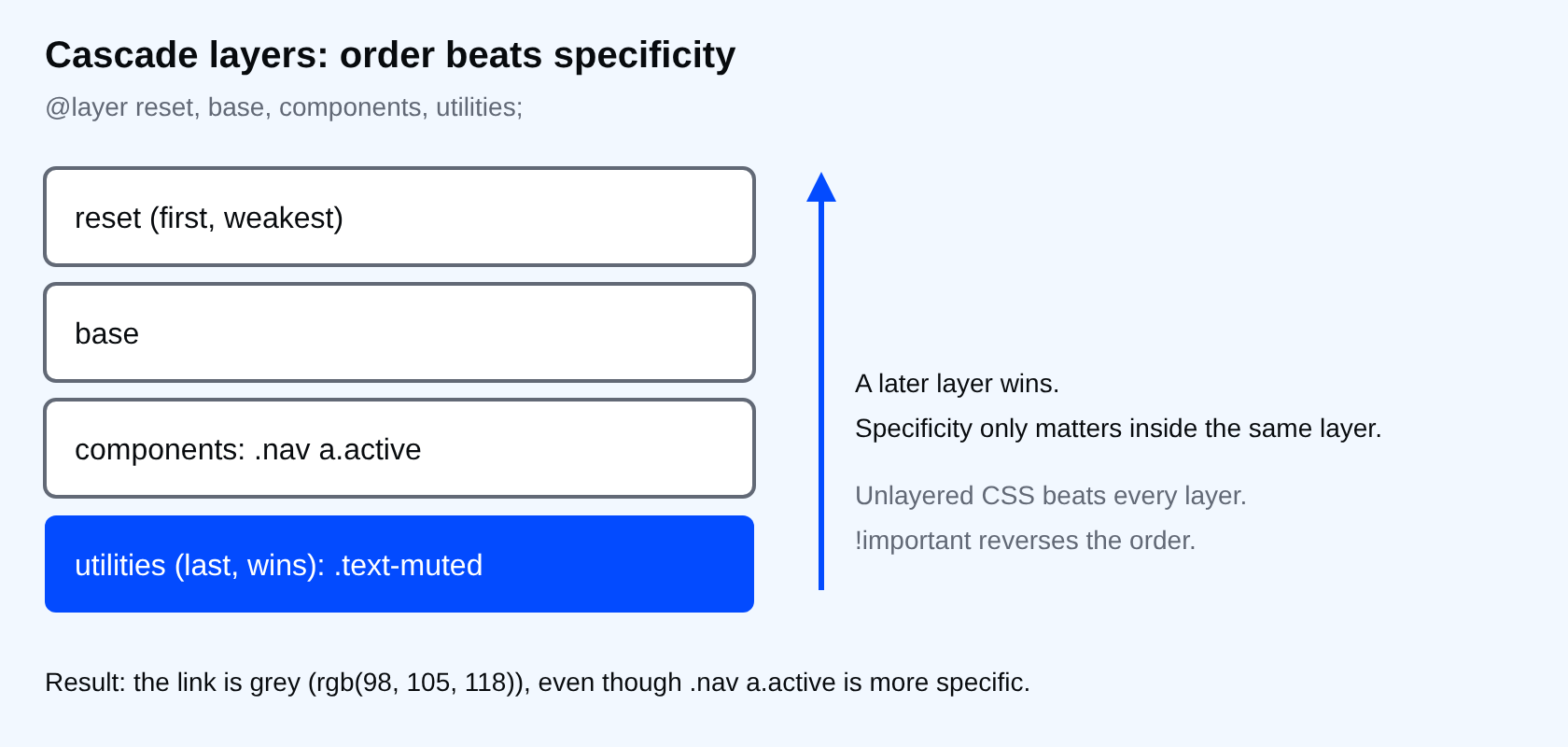
Declare the order once, first
The first mention of a layer name fixes its place. The one-line statement at the top, before any rules, is how you set the order for the whole site. If a stray @layer components { ... } loads earlier, it quietly sets the order for you.
Third-party CSS
@layer vendor, base, components, utilities;
@import url("vendor.css") layer(vendor);
Put the vendor file in the first layer and your .btn in components. I tested a vendor stylesheet that used #page .toolbar a.btn.btn-primary. My plain .btn rule in components still won: the button was rgb(3, 75, 255), mine, and not the vendor blue. You do not touch their file and you do not raise your specificity.
The two traps
- Unlayered CSS beats every layer. If you wrap one file in a layer and leave the rest of the site unlayered, the unlayered rules win. I tested it: an unlayered
.unlayeredrule beat a rule in the last layer. Layer everything, or know which part you left out on purpose. !importantreverses the order. An important declaration in an earlier layer beats an important one in a later layer. In my test,red !importantinbasebeatgreen !importantinutilities.
⚠ Warning: Inline styles also beat layered rules. If a script sets element.style.color, no layer can override it. Fix the script, or toggle a class instead.
Keeping specificity low inside a layer
Inside one layer, specificity still counts. Keep selectors flat: one class, maybe one state. Use :where() for defaults that must be easy to override, since it adds zero specificity. :is() takes the specificity of its most specific argument, so do not use it expecting the same effect.
Common mistakes
- Putting
!importanton utilities "to be safe". It reverses the layer order for that rule and makes utilities the weakest layer. - Creating a new layer for every component. Four or five layers are plenty. Names are a contract with your team.
- Forgetting that
@import ... layer()must come before other rules except@layerstatements and@charset.
💡 Tip: Write the order line as a comment-worthy block at the top of the main stylesheet. When someone asks why a rule loses, the answer is in that one line.
What happens if you skip this
Every override gets a longer selector than the last one. After a year, nobody knows which rule wins without opening DevTools, and !important shows up in code review as a normal thing.
Try it
Open your biggest stylesheet and list the five most specific selectors. Move them into a legacy layer placed before components, and see which overrides you can delete.
Which of your rules wins today only because of how long its selector is?
About
Declare layer order once, put vendor and legacy CSS in earlier layers, and avoid the unlayered and important traps. After this, a short selector in a later layer beats a long one in an earlier layer.
Comments (0)
Sign in to commentNo comments yet.