
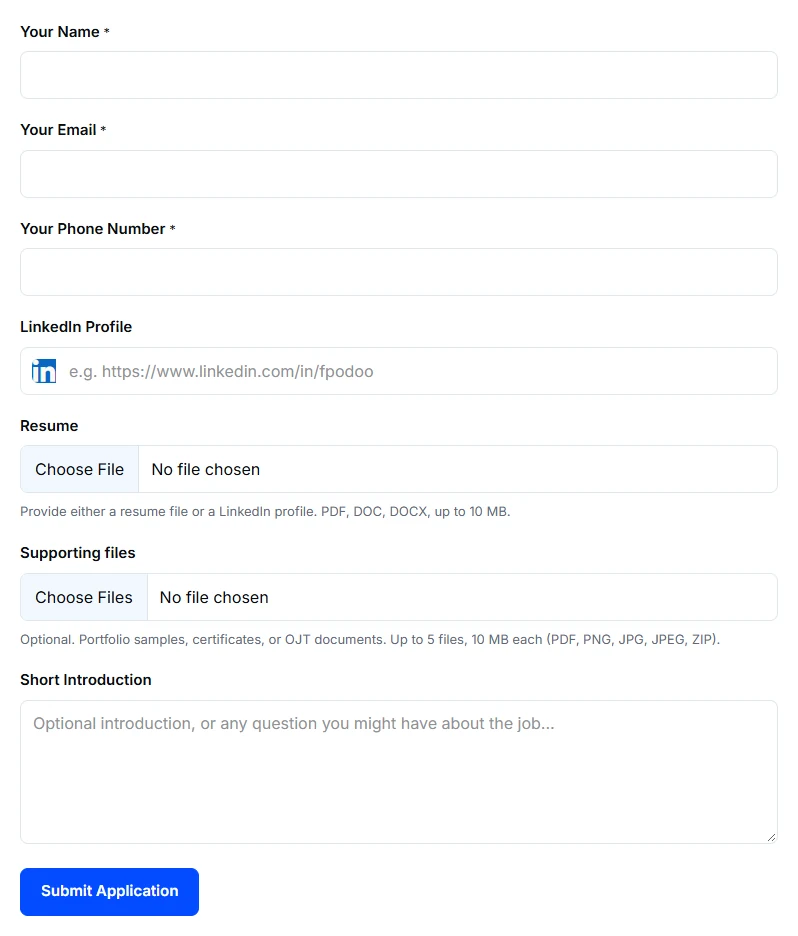
Use the file types and size limits printed under the application form’s upload fields. Those are the limits for the form you are submitting; they can differ between a resume and supporting files.
Prepare the files
- Save the original resume in one of the file types allowed by the form. Provide a LinkedIn profile instead if that is the option you are using.
- Choose supporting material that helps assess your application, such as relevant work samples or certificates.
- Check each file’s size and the permitted number of supporting files.
- Upload the files and check their names before submitting.
If a file is rejected
Changing a filename from one extension to another does not convert the document. Export it from the application that created it, then upload the exported file. Empty, damaged, oversized, or unsupported files can be rejected.
If the file is too large, reduce unnecessary images or export a smaller copy that remains readable. Keep originals for yourself. Do not include passwords, account-recovery links, or unrelated private records in supporting files.
If you still cannot upload an otherwise permitted file, contact us with the role, filename extension, file size, and error message.