
Joining an open course lets your signed-in account keep its progress. You can read published preview lessons and check public course quiz answers without joining.
Join from a course or lesson
- Choose a course from Courses.
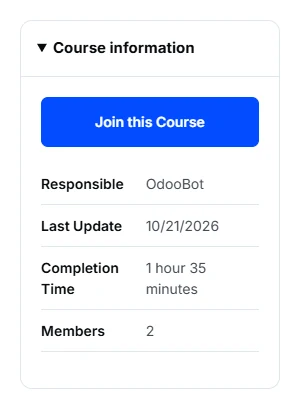
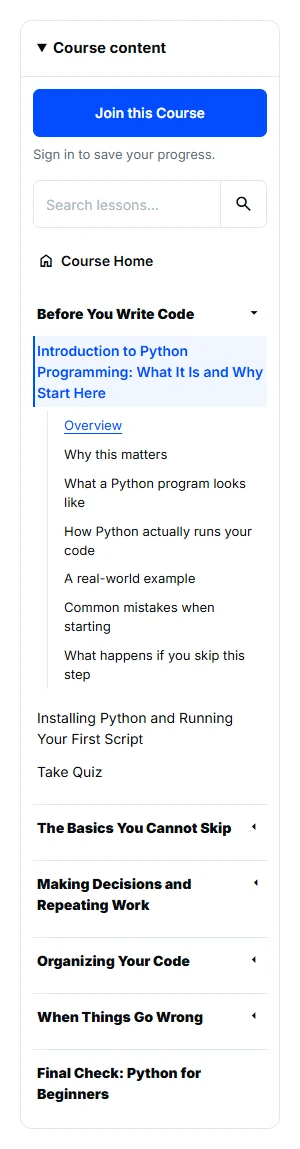
- On Course Home, choose Join this Course in Course information. Inside a lesson, find the same action at the top of Course content, above lesson search.
- If you are signed out, sign in first. The lesson’s login link returns you to that lesson; choose Join this Course to enroll.
- After joining, continue reading. The lesson panel shows your course progress instead of the join action.
If Join is missing or the course is private
If you see progress, you are already enrolled. On a small screen, expand Course content to see its controls. Private courses keep their invitation or access-request requirements; opening a preview does not grant membership.
Standalone Tutorials do not have a join action. They are single pages you can read directly.