
Use a support request for a problem you need the team to investigate and follow through your account. For a general enquiry or project discussion, use Contact Us.
Send the request
- Sign in and open Submit a Support Request. You can also open Helpdesk from My Account.
- Give the request a short, specific subject.
- Describe what you expected, what happened, and the steps that led to the problem. Include the relevant page link and the error message.
- Add files if the form permits them, following the limits shown there.
- Submit once and wait for confirmation. Open the accepted ticket to follow the conversation.
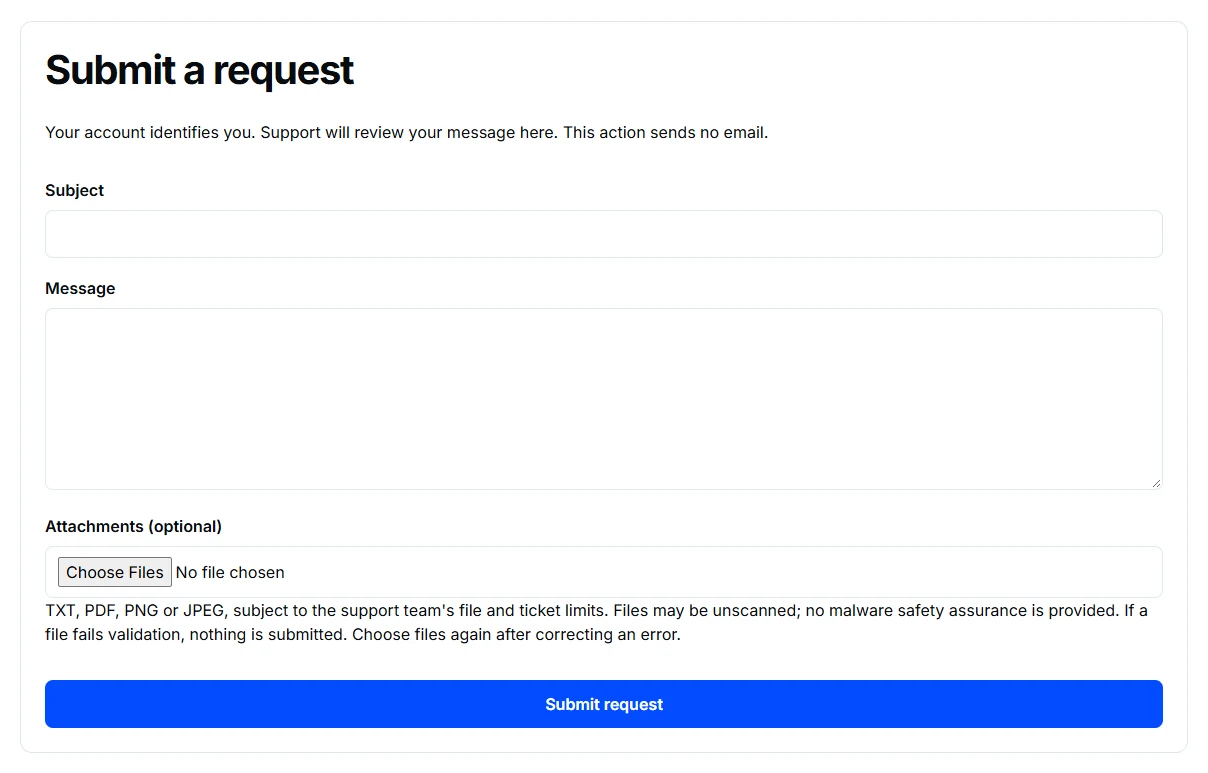
Include enough detail to investigate
“The page does not work” leaves the team guessing. A useful report says which page, which action failed, when it happened, and whether it happens again. A screenshot can help if it does not expose private information.
Do not send passwords, verification links, payment details, or private exam links. If your account cannot sign in, use the public Contact Us page instead.
If the form reports a verification requirement or a temporary limit, follow that message before resubmitting. A ticket is accepted only after the website confirms it.