
Cascade and Specificity Without Guessing
Why one rule wins over another, how specificity is counted, and how to fix a style that "won't apply" without !important everywhere. After this, you change the right rule on purpose.
Skip ahead: If you already know later rules and higher specificity win, and you avoid !important except as a last resort, skip to "A practical debugging order", then continue.
When two CSS rules disagree, the cascade decides. Guessing feels faster. Measuring is faster for real.
Source order
If specificity is equal, the rule that appears last wins.
.price {
  color: #080b0e;
}

.price {
  color: #034bff; /* this one wins */
}
That is why the order of <link> tags and the order inside a file matter.
Specificity in plain numbers
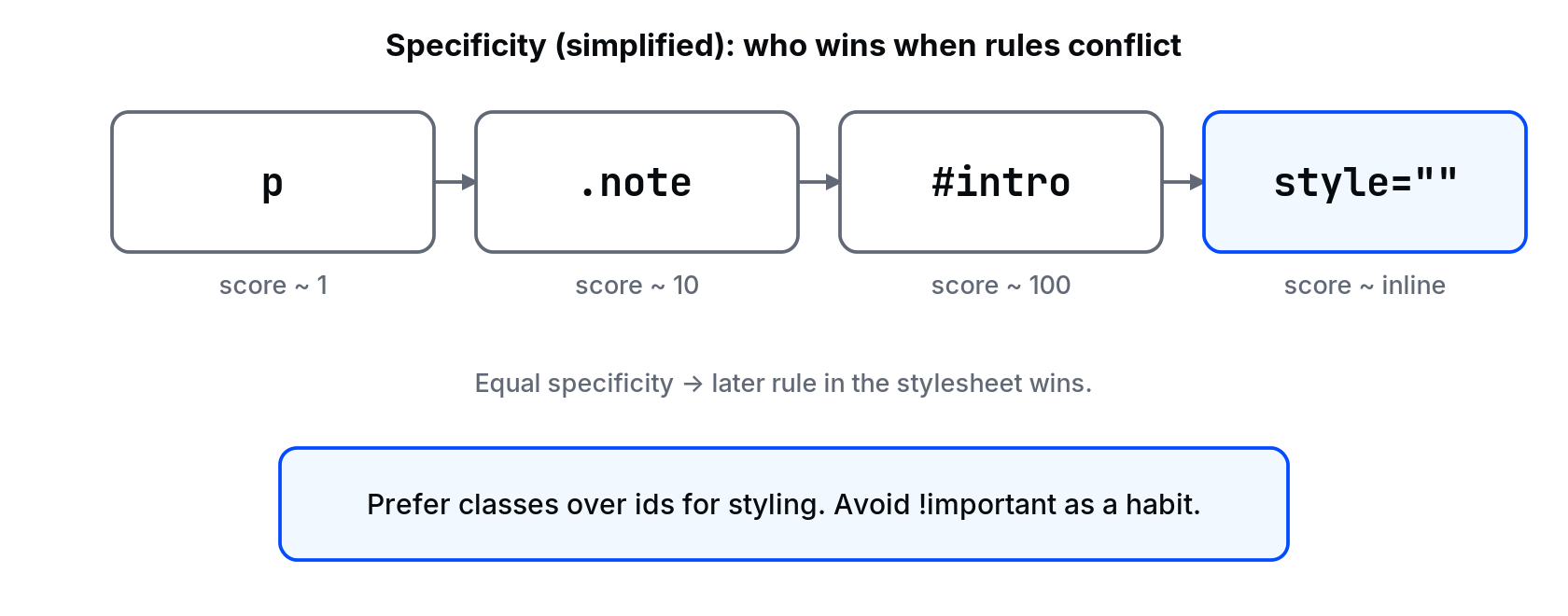
Browsers count roughly like this (simplified):
- Inline
style="": highest among normal styles #id: 100.class,[attr],:hover: 10 eachelement,:not()'s argument type: 1 each
p { color: black; }           /* 1 */
.note { color: #626976; }     /* 10 */
#intro { color: #034bff; }    /* 100 */
<p id="intro" class="note">Hello</p>
The paragraph is blue. Id beats class beats type.
Inheritance
Some properties inherit (colour, font-family). Others do not (margin, padding, border). Children pick up inherited values unless a more specific rule sets their own.
body {
  color: #080b0e;
  font-family: system-ui, sans-serif;
}
Paragraphs inside body get that colour and font without a p { ... } rule.
!important is a fire alarm
.note {
  color: #626976 !important;
}
It beats normal specificity. Use it only when you must override third-party CSS you cannot edit cleanly. If your own stylesheet needs !important to work, your selectors are probably tangled.
A practical debugging order
- Confirm the selector matches the element (DevTools highlights matches).
- See if the declaration is crossed out (something else won).
- Compare specificity and source order.
- Check for inline styles.
- Only then consider
!importantor a heavier selector.
💡 Tip: Keep specificity low on purpose. Prefer .card-title over div.page div.row div.card h2.title. Future overrides stay possible.
Common mistakes
- Stacking ids to "make sure it applies". You win today and lose the ability to theme tomorrow.
- Duplicating the same class rule in three files. The last file loaded wins; nobody remembers which that is.
- Blaming the browser for "ignoring CSS" when a more specific rule is quietly winning.
What happens if you skip this
You will add more classes and more !important until the stylesheet is a negotiation, not a design.
In DevTools, force a conflict: two .price colour rules. Confirm the last one wins. Then add an id selector and watch it jump the queue. That experiment teaches more than a chart.
Layers of origin (beginner view)
Ignoring transitions and animations, think in this order of strength for equal specificity:
- Browser defaults (user agent)
- Your normal stylesheet rules
- Inline styles on the element
- Anything with
!important(then specificity among those)
You almost always work in layer 2. When layer 3 appears in pasted HTML, delete it or own it deliberately.
Equal specificity, different files
<link rel="stylesheet" href="base.css">
<link rel="stylesheet" href="theme.css">
If both set .btn { background: ... } with the same specificity, theme.css wins because it loads last. That is a feature when you structure files on purpose, and a bug when you forget a file is linked twice.
Reduce, don't escalate
When a rule "won't apply", beginners add ids and !important. Prefer removing the conflicting rule or lowering the winner's specificity. Your future override will need room.
About
Why one rule wins over another, how specificity is counted, and how to fix a style that "won't apply" without !important everywhere. After this, you change the right rule on purpose.
Comments (0)
Sign in to commentNo comments yet.