

JavaScript if, else and the Ternary Operator
Make your code choose with if, else if and else, combine conditions, and use the ternary for short either-or values. After this, you can write decisions that run the branch you expect.
Skip ahead: If you can write an if / else if / else chain and know why the order of the conditions matters, skip to "The ternary operator".
Programs need to make choices. Free shipping or not. Show the error or not. Let the visitor in or not. In JavaScript, you make those choices with if. It's simple to write and easy to get wrong in one specific way: the order of the conditions.
The basic if
const total = 1250;

if (total >= 1000) {
  console.log("Free shipping");
}
console.log("Done");
Free shipping
Done
The condition goes in parentheses. The code to run goes in curly braces. If the condition is false, JavaScript skips the block and carries on after it.
else if and else
Here's a real rule: free shipping from ₱1,000, ₱50 from ₱500, otherwise ₱120.
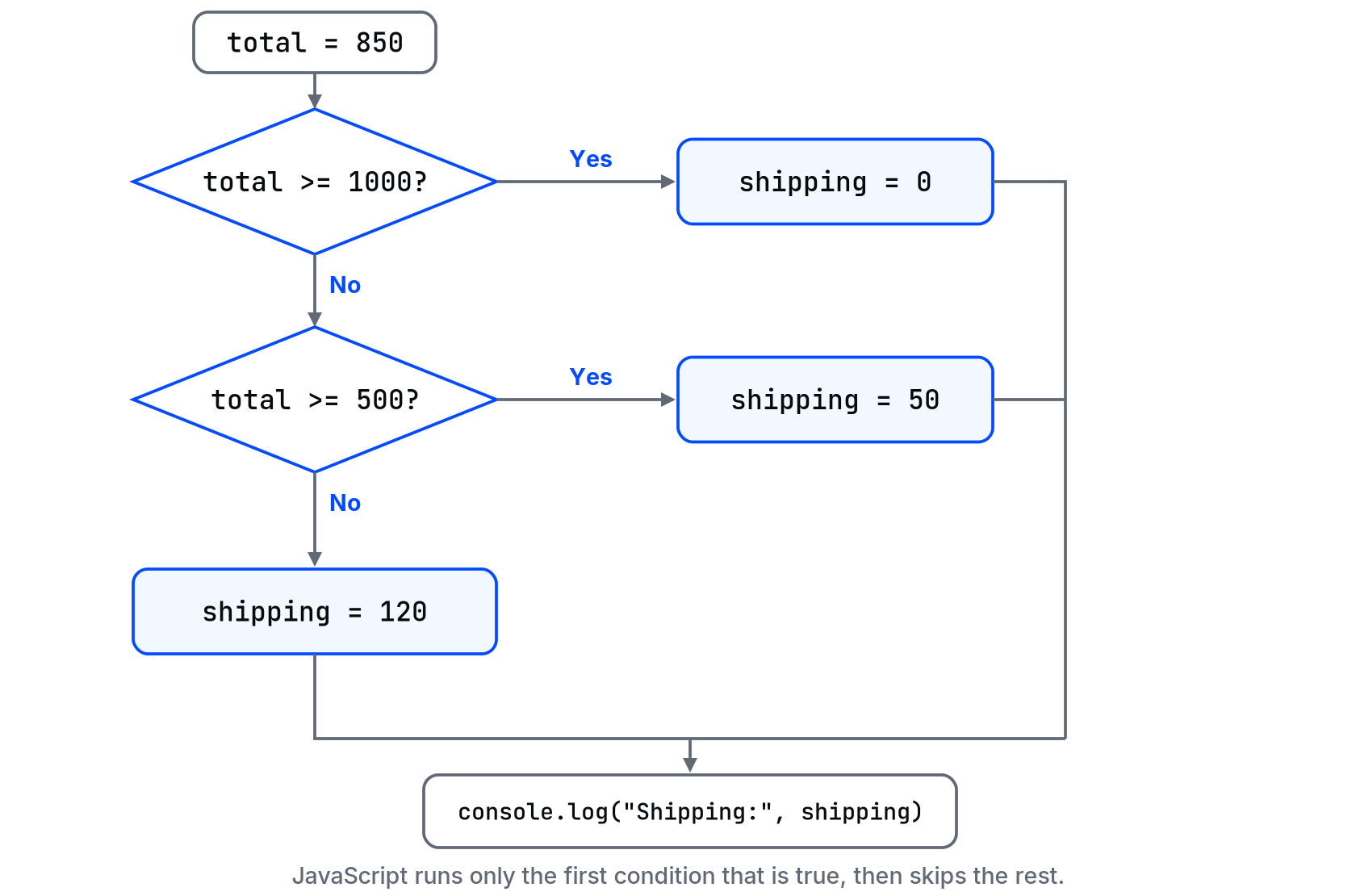
const total = 850;
let shipping;

if (total >= 1000) {
  shipping = 0;
} else if (total >= 500) {
  shipping = 50;
} else {
  shipping = 120;
}

console.log("Shipping:", shipping);
Shipping: 50
JavaScript checks from the top and runs only the first block whose condition is true. Then it skips everything else in the chain.
⚠ Warning: Order matters. If you put total >= 500 first, a ₱1,250 order matches it and pays ₱50, and the free-shipping branch never runs. No error, just a wrong number. With ranges, start from the most specific (the highest) and go down.
Combining conditions
&&means and: both must be true.||means or: at least one must be true.!means not.
const age = 20;
const hasId = false;

if (age >= 18 && hasId) {
  console.log("Allowed");
} else if (age >= 18 && !hasId) {
  console.log("Bring an ID");
} else {
  console.log("Not allowed");
}
Bring an ID
When you mix && and ||, add parentheses so you and the next reader don't have to remember which goes first: (isMember || total >= 1000) && inStock.
The ternary operator
For a value that is one thing or another, if/else is a lot of lines. The ternary does it in one:
const stock = 0;
const label = stock > 0 ? "In stock" : "Sold out";
console.log(label);
Sold out
Read it as: condition ? value if true : value if false.
Use it for short either-or values like labels, classes and small numbers. Don't chain them (a ? b : c ? d : e) and don't use them to run actions. That's what if is for. If you have to read a ternary twice, write an if.
Always use the braces
JavaScript lets you skip {} when the block is one line: if (ok) doThis();. Don't. The day someone adds a second line under it, only the first one is inside the if, and the indentation lies about it.
💡 Tip: Check conditions with real edge values, not just the obvious one. For the shipping rule, try 499, 500, 999, 1000 and 0. Most if bugs sit exactly on the boundary: > where you needed >=.
Common mistakes
=instead of===:if (status = "paid")assigns and is always true.- Ranges in the wrong order, as in the warning above.
- Comparing a string from an input with a number.
"850" >= 1000happens to work by conversion, but"850" === 850doesn't. Convert input withNumber()first. - Forgetting the final
else, so a variable staysundefinedfor cases you didn't think of.
What happens if you skip this
You'll write conditions that look right and pass the one value you tested. Then the ₱1,000 order gets charged shipping, and someone has to explain that to a customer.
Here's one to test yourself with: a discount applies to members or orders over ₱2,000, but never on sale items. Can you write that condition in one line, with parentheses?
About
Make your code choose with if, else if and else, combine conditions, and use the ternary for short either-or values. After this, you can write decisions that run the branch you expect.
Comments (0)
Sign in to commentNo comments yet.