

Unions, Literals and Narrowing With typeof and in
Write unions and literal types, then narrow them with typeof and in. After this, a value that can be one of several things is safe to use.
Skip ahead: If you can already write string | number, use "a" | "b" as a type, and narrow with typeof and in, skip to "Narrowing with in", then continue.
Real data is often one of a few things. An id is a number in one system and a string in another. A status is one of three words. A shape is a circle or a square. A union type says "one of these", and narrowing is how you find out which one you have before you use it.
Unions
Join types with |.
function describe(id: string | number): string {
  return id.toUpperCase();
}
union.ts(2,13): error TS2339: Property 'toUpperCase' does not exist on type 'string | number'.
  Property 'toUpperCase' does not exist on type 'number'.
The message is longer than the ones you have seen. Read it from the top. The compiler says the property does not exist on the union, then explains which member lacks it. toUpperCase is a string method, and a number does not have it. Until you know which one id is, you may only use what both have in common.
Narrowing with typeof
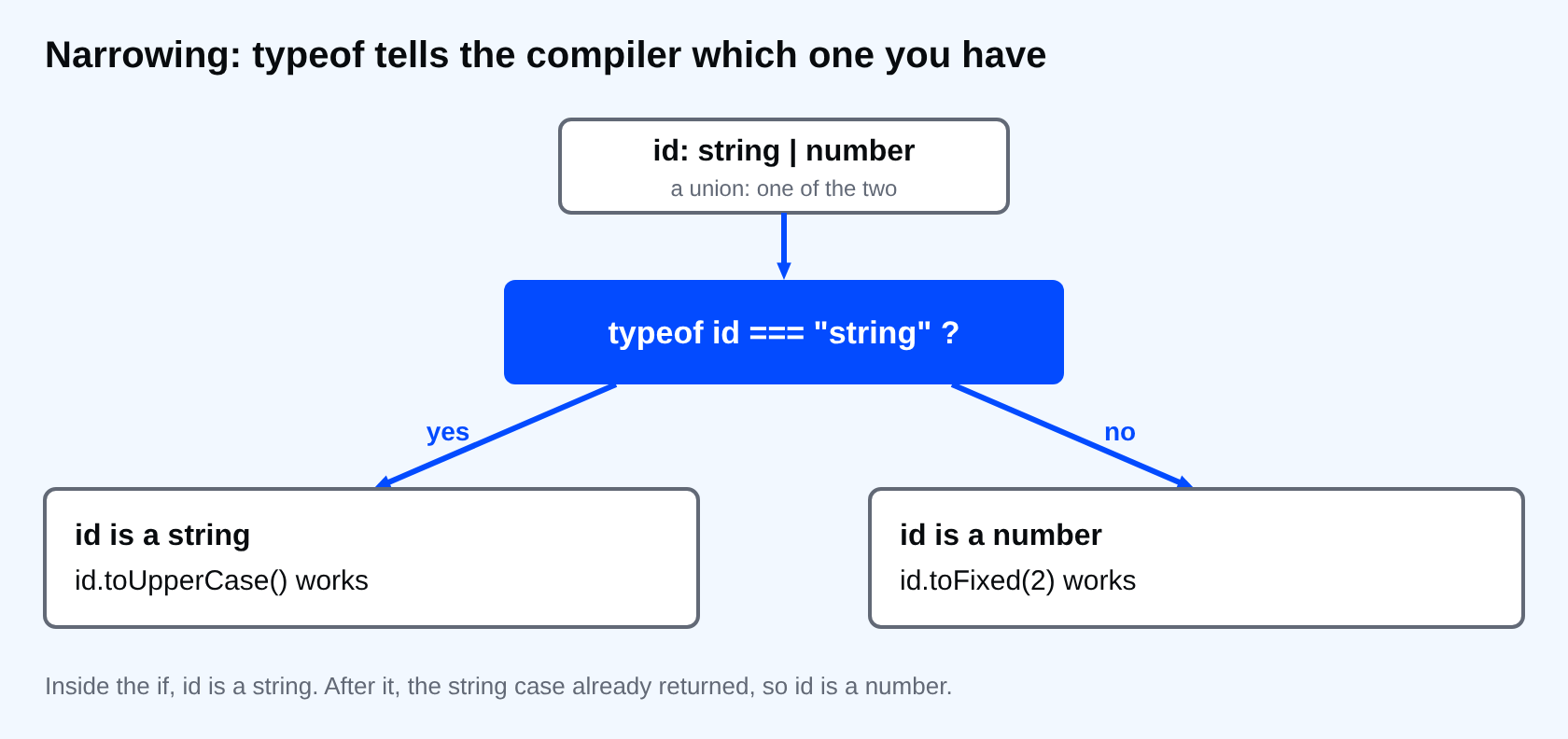
typeof tells the compiler which member you are holding.
function describe(id: string | number): string {
  if (typeof id === "string") {
    return id.toUpperCase();
  }
  return id.toFixed(2);
}

console.log(describe("ab-12"));
console.log(describe(7));
AB-12
7.00
Inside the if, id is a string. After it, the compiler knows the string case already returned, so id is a number. You wrote a normal JavaScript check, and the compiler followed along. That is narrowing.
Literal types
A literal type is an exact value used as a type. Combine them in a union and you have a fixed list of allowed values.
type Status = "draft" | "sent" | "paid";

function label(status: Status): string {
  return "Status: " + status;
}

label("sent");
label("Sent");
label("done");
literals.ts(8,7): error TS2345: Argument of type '"Sent"' is not assignable to parameter of type 'Status'.
literals.ts(9,7): error TS2345: Argument of type '"done"' is not assignable to parameter of type 'Status'.
This is one of the most useful features for everyday code. A typo in a status is caught at compile time, and your editor can suggest the three valid values.
There is one surprise. A const string keeps its exact type, but a string inside an object does not.
type Status = "draft" | "sent" | "paid";

function label(status: Status): string {
  return "Status: " + status;
}

const direct = "paid";
label(direct);

const order = { status: "paid" };
label(order.status);
widen.ts(11,7): error TS2345: Argument of type 'string' is not assignable to parameter of type 'Status'.
direct is the literal "paid". The status property in order was widened to string, because object properties can be changed later. The fix is to say what you mean.
type Status = "draft" | "sent" | "paid";

function label(status: Status): string {
  return "Status: " + status;
}

const order: { status: Status } = { status: "paid" };
label(order.status);

const fixed = { status: "paid" } as const;
label(fixed.status);
Annotating the object is the clearer option. as const freezes the whole value at its literal types.
Narrowing with in
When the members are objects, use in to ask whether a property exists.
type Circle = { radius: number };
type Square = { side: number };

function area(shape: Circle | Square): number {
  if ("radius" in shape) {
    return Math.PI * shape.radius ** 2;
  }
  return shape.side ** 2;
}

console.log(area({ radius: 2 }).toFixed(2));
console.log(area({ side: 3 }));
12.57
9
"radius" in shape is true only for a Circle, so inside the block you can read radius. The rest of the function sees a Square. This works as long as the property names are different between the members.
A trap with typeof
function show(value: object | null): string {
  if (typeof value === "object") {
    return value.toString();
  }
  return "nothing";
}
null.ts(3,12): error TS18047: 'value' is possibly 'null'.
In JavaScript, typeof null is "object". The compiler knows, so the check does not rule out null. Compare with value !== null instead.
⚠ Warning: A narrowing check only helps inside the branch it guards. If you move the code that uses the value outside the if, the compiler forgets what you proved.
Common mistakes
- Using
asto pick a member instead of checking. You told the compiler, but nothing checked. - Forgetting that
typeof nullis"object". - Using a plain
stringwhere a fixed list of words would catch typos. - Letting an object property widen a literal, then wondering why the call fails.
💡 Tip: Prefer a union of literals over a plain string for anything with a small fixed set of values: status, role, direction.
If you skip this, you will write any or as every time a value could be one of two things, and the checks you wanted will not run. What does your code do right now when a status arrives with a different spelling?
About
Write unions and literal types, then narrow them with typeof and in. After this, a value that can be one of several things is safe to use.
Comments (0)
Sign in to commentNo comments yet.