

Python Loops: For, While, and When to Stop
Repeat work with for and while, loop a set number of times with range(), and control a loop with break and continue. You'll also build an input loop that knows when to stop.
Python Loops: For, While, and When to Stop
A loop repeats a block of code. That is the main reason computers are useful: they do the same thing a thousand times without getting bored or making a typo on number 847. Python has two loops. for goes through a collection of things. while repeats as long as a condition is true.
Skip ahead: If you know when to use for versus while, and how break and range() work, continue to the quiz for this section.
Why this matters
If you ever catch yourself copying the same line five times and changing one number, you need a loop. But loops are also where beginners write their first program that never ends. So this lesson is about both: how to repeat, and how to make sure it stops.
The for loop
names = ["Ana", "Ben", "Carla"]

for name in names:
    print(f"Hello, {name}")
Read it as "for each name in names, do this." The variable name takes each value in turn. You can loop over a list, a string (one character at a time), and many other things.
range(): looping a number of times
for number in range(5):
    print(number)          # 0, 1, 2, 3, 4

for number in range(1, 6):
    print(number)          # 1, 2, 3, 4, 5

for number in range(0, 20, 5):
    print(number)          # 0, 5, 10, 15
range(5) starts at 0 and stops before 5. So it gives five numbers, 0 to 4. This "stop before the end" rule confuses everyone at first. It is consistent across Python, so learn it once.
A real-world example: adding up a list
prices = [120.00, 89.50, 300.25]
total = 0

for price in prices:
    total += price

print(f"Total: {total:.2f}")   # Total: 509.75
Python also has sum(prices), which does the same thing in one call. Use it in real code. But write the loop yourself at least once, so you know what sum() is doing for you.
The while loop
Use while when you do not know in advance how many times to repeat. You only know the condition for stopping.
balance = 1000
months = 0

while balance < 2000:
    balance = balance * 1.05
    months += 1

print(f"Doubled after {months} months: {balance:.2f}")
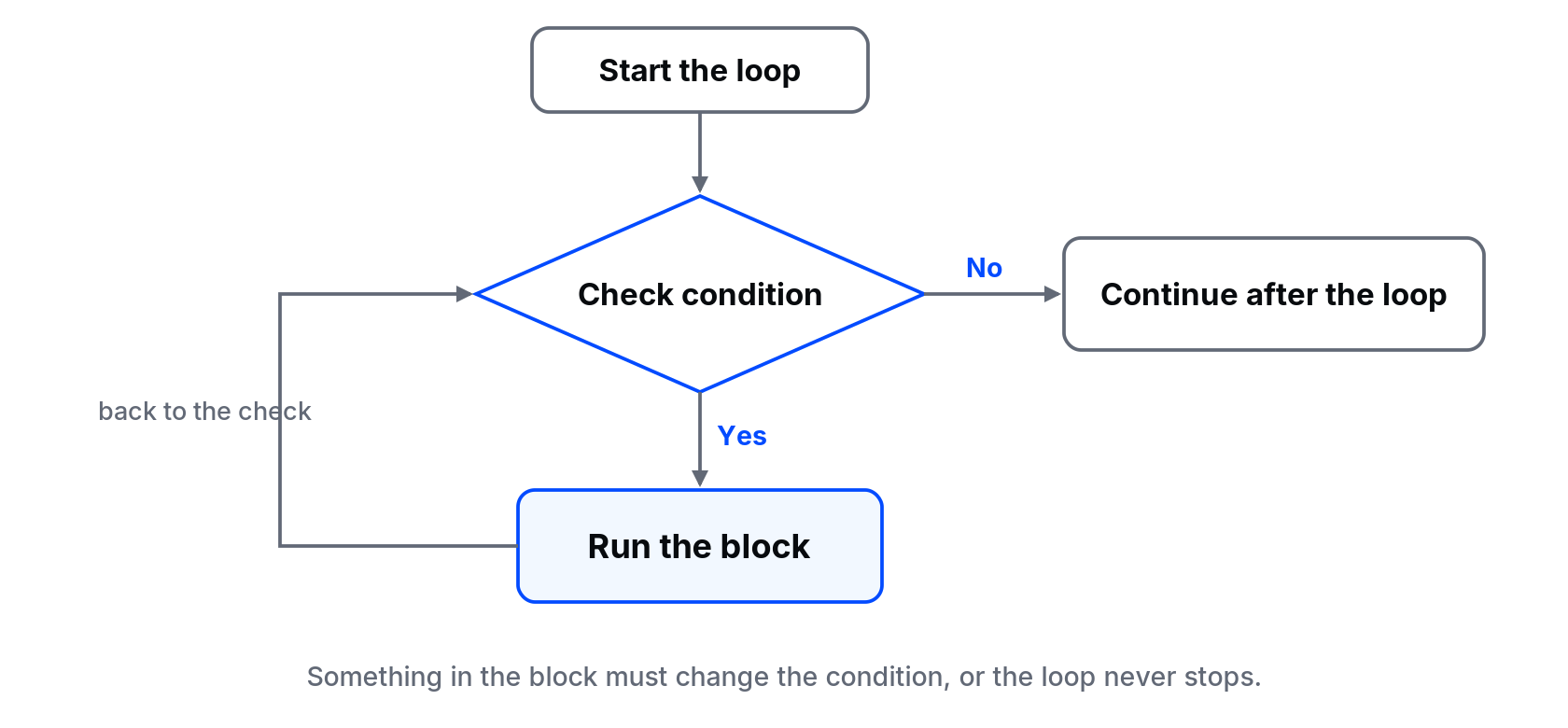
⚠ Warning: A while loop only stops when its condition becomes false. If nothing inside the loop changes the condition, it runs forever. Before you run a while loop, find the line that moves it toward stopping. If your program hangs, press Ctrl+C in the terminal to stop it.
break and continue
orders = [250, 0, 480, -1, 900]

for amount in orders:
    if amount < 0:
        print("Invalid amount found. Stopping.")
        break            # leave the loop completely
    if amount == 0:
        continue         # skip this one, go to the next
    print(f"Processing {amount}")
break exits the loop. continue skips the rest of the current round and moves to the next one. Here, 900 is never processed, because the loop stopped at -1.
A safe input loop
while True:
    answer = input("Type yes or no: ").strip().lower()
    if answer in ("yes", "no"):
        break
    print("Please type yes or no.")

print(f"You said {answer}.")
while True looks dangerous, and it is if you forget the break. Here it is fine: the only way out is a valid answer, which is exactly what we want.
Common mistakes
- Off by one. Expecting
range(1, 10)to include 10. It does not. - Changing a list while looping over it. Removing items inside a for loop over the same list skips items. Build a new list instead.
- Forgetting to update the while condition. Infinite loop.
- Wrong indentation. A line indented one level less is outside the loop and runs once, at the end.
💡 Tip: When a loop gives the wrong result, add a print() inside it showing the loop variable and the running total. Watching the values change round by round usually shows the problem in seconds.
What happens if you skip this step
You keep copying and pasting lines instead of looping, until the list grows from 5 items to 500. Or you write a while loop without an exit, it eats your CPU, and you think your computer is broken. It is not. The loop is just doing exactly what you told it to.
Quick check: how many times does for i in range(3, 8): run?
About
Repeat work with for and while, loop a set number of times with range(), and control a loop with break and continue. You'll also build an input loop that knows when to stop.
Comments (0)
Sign in to commentNo comments yet.