
Read the error before retrying. A failed request, missing content, and a low score are different problems.
Check the input first
- Confirm that the URL is complete and opens as a public page. A page that needs your login may not be available to the analysis service.
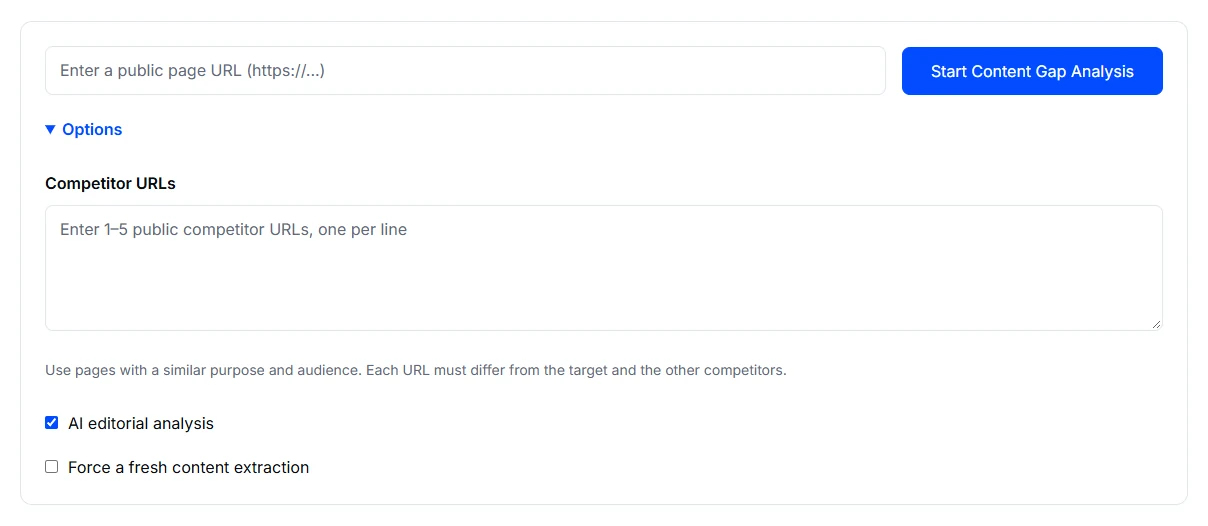
- Open Options. Content Gap Analysis needs one to five competitor URLs. Other tools have their own device, field, keyword, or AI settings.
- If the page changed, consider the fresh extraction option. Keep settings consistent when comparing reports.
When output looks incomplete
Compare the returned content with the source page. Access restrictions, dynamic loading, and retrieval failures can leave sections out. A missing score is not a zero score, and an empty field does not prove that the information is absent from the page.
When you still need help
Record the tool name, public page URL, options, time, and exact error. Use a support request when you need to follow the issue through your account, or Contact Us if you cannot sign in. Do not include private page links, credentials, or confidential report content.
Scores and AI recommendations need review. They do not establish a ranking, security certification, or guaranteed appearance in AI answers.