
A comparison is useful only when the source pages help answer the question you are investigating. This walkthrough shows how to choose those pages and turn a reported topic difference into an editorial decision.
Select a fair comparison
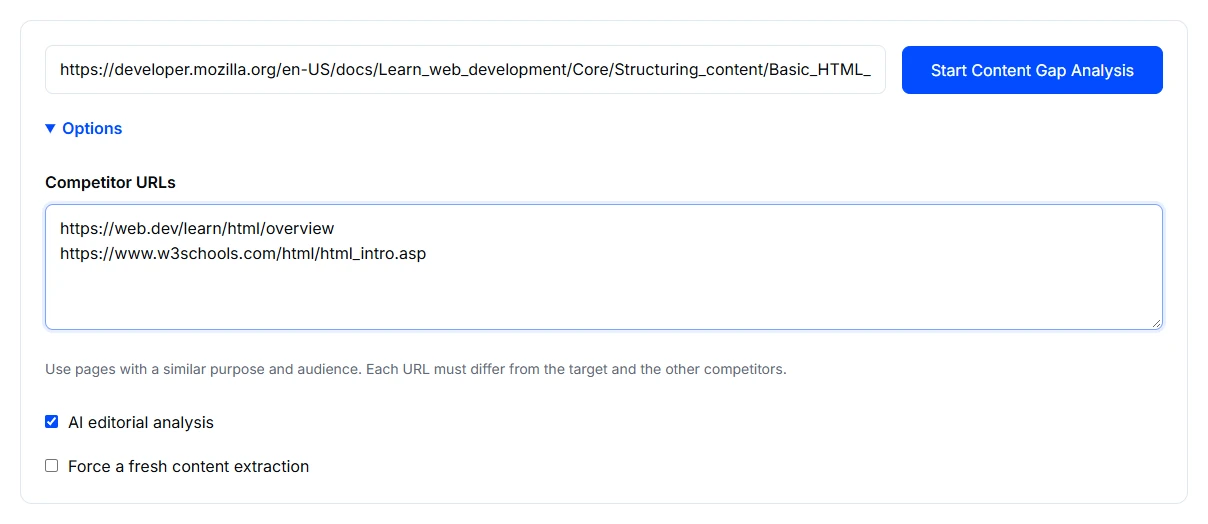
- Open Content Gap Analysis and enter your public page URL.
- Expand Options and add one to five competitor URLs covering a related topic and purpose. Compare a narrow tutorial with similarly focused explanations when possible; a broad overview may legitimately cover more ground.
- Review AI editorial analysis, which is selected initially. Keep track of whether it is enabled so you can distinguish its suggestions from the other comparison findings.
- If the source pages changed, consider Force a fresh content extraction. Choose Start Content Gap Analysis and wait for the comparison.
Use public pages you are authorised to analyse. A URL should not contain a private access token. See the tool privacy information for submission details.
Read an example report
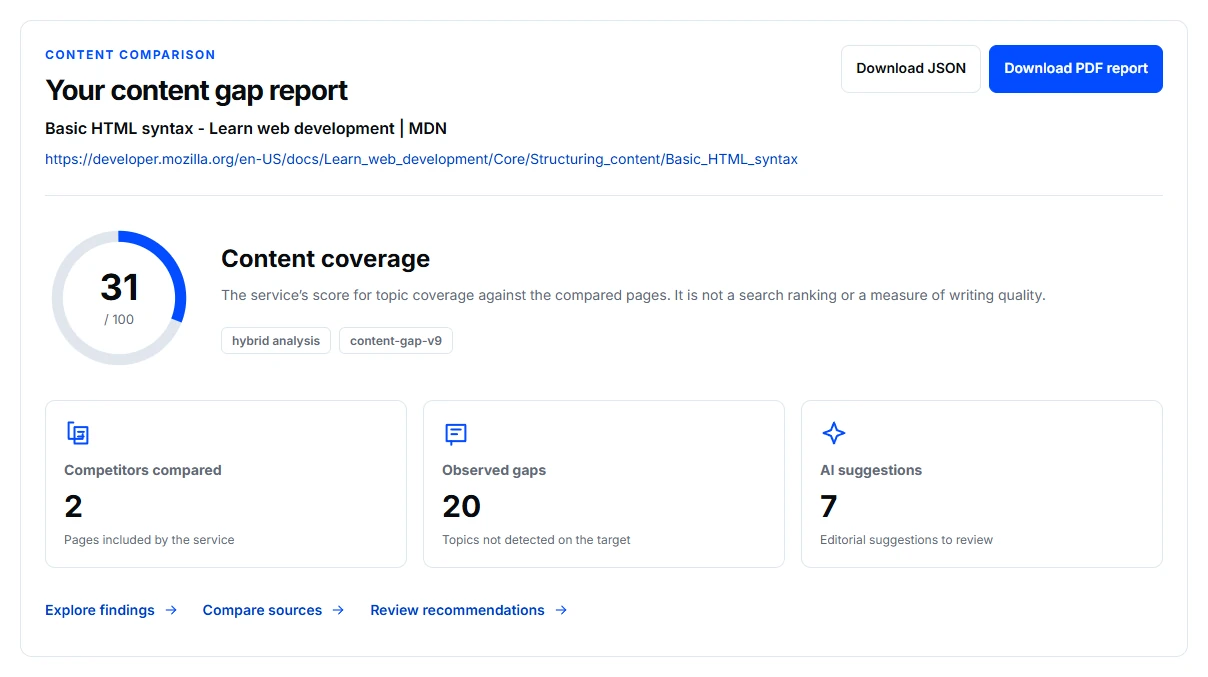
This example compares the MDN Basic HTML syntax guide with web.dev’s HTML overview and W3Schools’ HTML introduction. They address related beginner questions, but their scope is not identical. AI editorial analysis was enabled.
Open the comparison matrix to see which pages the service lists for a topic. Not detected on the target and Not listed for a competitor are different statements. Neither replaces checking the source pages yourself.
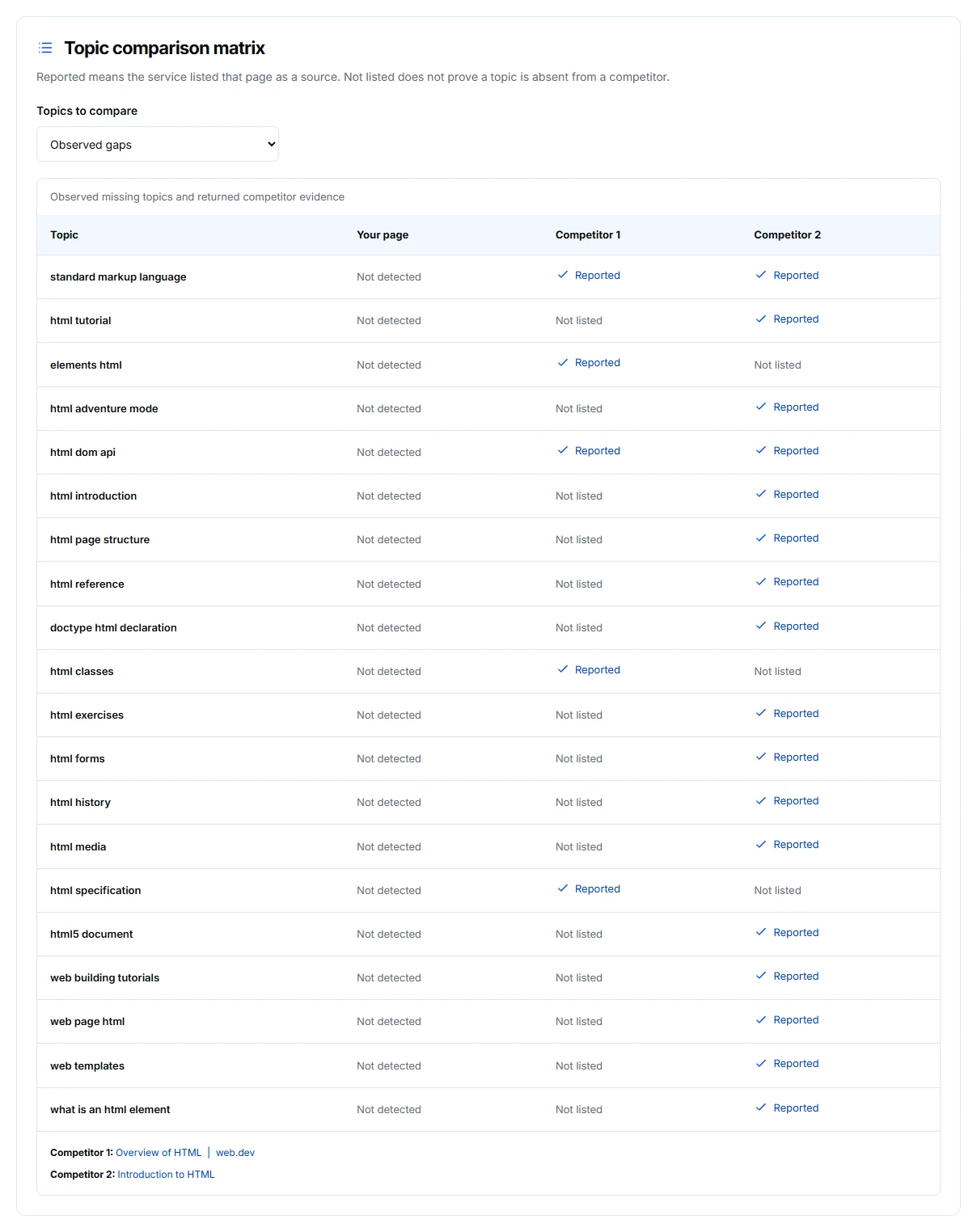
In this comparison, topics such as HTML forms and history appear among the findings. A focused syntax lesson may reasonably leave those for other lessons. Add a topic only when it serves the page’s audience and purpose; a longer page is not automatically a better page.
Investigate the evidence behind a gap
Start with a reported topic and open its comparison evidence. Check which source page is associated with it and whether the relevant material is actually useful to your audience. A topic absent from a retrieved target and a topic not listed for a competitor are different findings.
Use the matrix as a route back to source material. It helps identify where to look; it does not establish that every competitor topic belongs on your page. A focused installation guide may reasonably link to a separate troubleshooting article instead of repeating it in full.
Build a focused editing list
- Keep a suggestion when it answers an important question within the page's purpose.
- Consider a related-page link when the topic belongs elsewhere in your site.
- Set aside a difference caused by another audience, product or level of detail.
- Verify AI claims about outdated concepts or content decay against current evidence before assigning an update.
For each retained edit, record the reader question, supporting source and the facts your business can confirm. Write your own explanation rather than copying a competing page.
Know the limits
Coverage depends on the selected competitors and the text successfully retrieved. A comparison score is not a general quality grade. AI suggestions can be mistaken, and adding every reported topic can make a focused page less useful.
If the comparison is incomplete
Check the competitor count, public access and retrieval settings. If one page is missing important content, inspect it with Content Extractor before interpreting the gap. Use the troubleshooting guide for failed requests.